CSS Text Shadow Generator
Design readable and decorative text-shadow styles with a live typography preview. Tune horizontal and vertical offset, blur radius, shadow color, and font settings, then stack multiple comma-separated layers for depth, glow, emboss, or retro poster lettering.
Use this online tool to experiment on headings, buttons, and hero copy without guessing values in DevTools. When you are happy with the look, copy the generated HTML and CSS into your stylesheet or component.
Contents
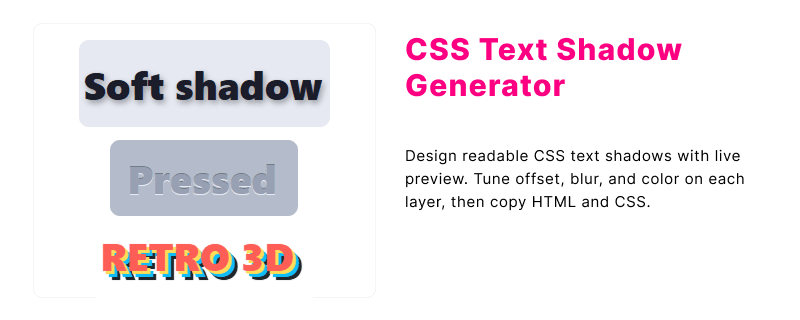
Online CSS Text Shadow Generator
Adjust shadow offset, blur, and color on sample text, add extra layers for richer effects, and copy the CSS declaration. Shadow layers are combined into one text-shadow property separated by commas.
How to use this generator
- Type preview text or keep the default headline sample.
- Set fill color, font size, and weight for the preview line.
- Use the sliders on the active layer for offset X, offset Y, blur, and shadow color.
- Click Add shadow layer to stack glows, outlines, or depth shadows.
- Open Style presets to load starter combinations, then fine-tune values.
- Copy the HTML and CSS blocks into your project.
Paste existing text-shadow CSS to load offset, blur, and color for each layer. Spread and inset (box-shadow only) are ignored.
Generated HTML and CSS:
Copy text shadow code only
<h1 class="shadow-heading">Shadow Type</h1>.shadow-heading {
text-shadow: 2px 4px 6px #64748b;
color: #1e293b;
font-size: 56px;
font-weight: 700;
}What is CSS text-shadow?
The text-shadow property paints one or more drop shadows behind text glyphs. Unlike shadows on boxes, the effect follows letter shapes, so it suits titles, logos, badges, and short display lines rather than long paragraphs.
Each shadow layer is defined with horizontal offset, vertical offset, optional blur radius, and a color. Browsers render layers in list order; the first shadow sits closest to the text, and later layers stack outward. You can simulate glow, emboss, or chunky outline effects by combining several sharp or blurred layers.
- Improves contrast when text sits on busy photography or gradients.
- Adds depth to hero headings without extra markup.
- Works on any text node that accepts regular color styling.
text-shadow syntax
A single shadow uses two required offsets plus optional blur and color. Omitting blur draws a crisp shadow edge; omitting color falls back to the computed text color in many cases, which is rarely what you want for UI copy.
Basic form
text-shadow: offset-x offset-y blur-radius color;Multiple layers
text-shadow: 0 1px 0 #cbd5e1,
	0 2px 4px rgba(15, 23, 42, 0.2),
	0 12px 24px rgba(15, 23, 42, 0.12);
Value reference
| Value | Role |
|---|---|
offset-x | Moves the shadow left (negative) or right (positive). |
offset-y | Moves the shadow up (negative) or down (positive). |
blur-radius | Softens the shadow; 0 keeps edges sharp. |
color | Any CSS color, including alpha for translucent glows. |
text-shadow does not support inset or spread values. For inner lettering effects, stack light and dark offsets instead.
Typography shadow tips
Small adjustments to offset and blur often matter more than dramatic color changes. These guidelines help keep display type legible while still looking intentional.
- Limit body copy. Large blur on small text reduces clarity. Reserve strong shadows for headings and short labels.
- Match light direction. If your layout uses a top-left light source, nudge shadows down-right for a consistent 3D read.
- Layer with purpose. Use one soft ambient blur plus one tight offset shadow instead of many similar layers.
- Check contrast. On photos, a dark translucent shadow (for example
rgba(0,0,0,0.45)) usually beats pure black. - Test zoom levels. Thin outline tricks that use four 1px offsets can look uneven when users zoom the page.
Hover and animated text-shadow
Static layers from the generator are a solid base. These patterns animate text-shadow on interaction or over time for buttons, badges, and hero lines. Pair transitions with :hover for affordance, or @keyframes for ambient motion.
Hover Effects Animation
Use a short transition on text-shadow so the shadow eases instead of snapping. Keep blur values modest on small text.
Respect reduced motion
Turn off shadow animations when the user prefers reduced motion so hero effects do not distract or cause discomfort.
@media (prefers-reduced-motion: reduce) {
	.pulse,
	.float
		animation: none;
	}
}
text-shadow vs box-shadow
Both properties add depth, but they target different painting areas. Pick the one that matches whether you are styling letters or the element frame.
| Topic | text-shadow | box-shadow |
|---|---|---|
| Applies to | Glyph shapes of text | Border box of the element |
| Inset keyword | Not supported | Supported |
| Spread radius | Not available | Optional fourth length |
| Typical use | Headlines, buttons with text, badges | Cards, panels, images, buttons as blocks |
For card chrome and floating panels, use the box-shadow generator. For lettering on top of those surfaces, combine it with tuned text-shadow from this page.
Frequently asked questions
Can text-shadow create an outline around letters?
There is no dedicated stroke keyword. You can approximate an outline by adding several layers with zero blur and small offsets in each direction, or combine text-shadow with -webkit-text-stroke where supported.
How many text-shadow layers should I use?
One or two layers cover most UI headings. Decorative posters may use three to five layers, but each extra blur increases paint cost slightly on very large type.
Does text-shadow work on icon fonts?
Yes. Icon glyphs from icon fonts are still text, so shadows follow each glyph shape the same way as regular letters.
Is text-shadow the same as filter drop-shadow on text?
No. filter: drop-shadow() applies to the whole element backdrop, while text-shadow only affects rendered text. For transparent PNG icons, drop-shadow is often a better fit.
Can I animate text-shadow?
Browsers can interpolate simple shadows, but animating many blurred layers may feel sluggish on mobile. Prefer transitioning one or two layers, or use opacity on a pseudo-element instead.
Related CSS tools
These generators pair well when you are polishing typography and the containers around it.
- CSS box-shadow generator for card depth and button elevation.
- CSS 3D text generator for perspective transforms on display type.
- CSS font style generator for weight, spacing, and family tweaks.
- CSS gradient color generator for backgrounds behind shadowed headlines.
- CSS tools hub for more generators and references.