JavaScript Toast Notification Library
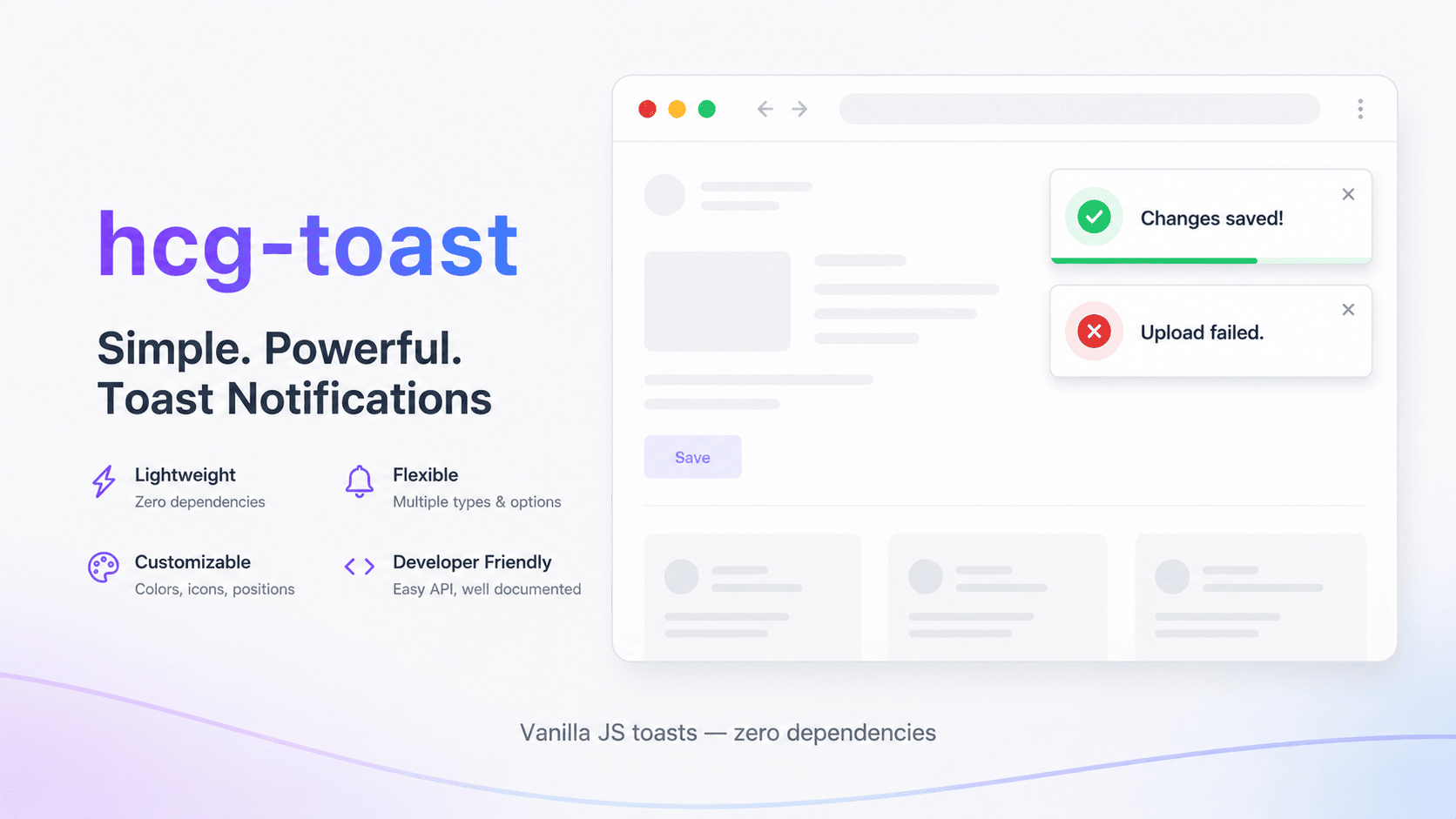
A lightweight, zero-dependency JavaScript toast / notification library hcg-toast. Show success, error, warning, and info messages with auto-dismiss, sticky toasts, six screen positions, stack limits, pause on hover, optional progress bars, custom icons, and a default singleton API plus toast.create() for custom instances. Ships as a UMD file with TypeScript definitions included. Browse more tools in the JavaScript libraries collection.
Table of Contents
What is hcg-toast?
hcg-toast is a lightweight vanilla JavaScript library for showing non-blocking toast notifications. Call toast.success(), toast.error(), and other helpers from anywhere in your app, configure position and duration globally, or create independent instances for different corners of the screen - without React, jQuery, or any other dependency.
When to use toast notifications
Toast notifications fit short, non-critical feedback that should not interrupt the user flow. Use hcg-toast when you need lightweight status messages instead of blocking alert() dialogs or full modal popups.
- Form saves confirm settings, profile updates, or draft saves without leaving the page.
- API feedback surface success, validation errors, or network failures after fetch calls.
- Background tasks report export progress, sync status, or upload completion.
- Multi-step workflows nudge users with warnings before navigation or session expiry.
- Admin dashboards stack multiple alerts in a corner while keeping the UI interactive.
For interactive examples, try the hcg-toast live demo or read the accessibility notes and FAQ below.
Why use this library
Building toast notifications from scratch means managing DOM containers, timers, stacking, animations, and accessibility. This library handles all of that in one small file.
- Zero dependencies and only a few kilobytes in size.
- Works with a plain script tag, CommonJS, or any bundler (UMD build).
- Singleton API with shorthand helpers:
toast.success(),toast.error(), etc. - Factory API via
toast.create()for multiple independent containers. - Four built-in types with distinct icons and accent colors; override with
iconoriconHtml. - Auto-dismiss with configurable duration, or sticky toasts with
duration: 0. - Pause timer on hover; optional progress bar track for timed toasts.
- Six screen positions; oldest toast evicted immediately when stack limit is reached.
- Accessible:
role="alert",role="status"; errors usearia-live="assertive". - Respects
prefers-reduced-motion. - TypeScript definitions included.
Live Demo
Click a button below to trigger sample toasts on this page. For all ten try-it-yourself examples in one place types, sticky toasts, positions, custom icons, and more see the full interactive demo page.
Comparison Table
How this library compares with common alternatives.
| Feature | This library | alert() / confirm() | Heavy UI frameworks |
|---|---|---|---|
| Dependencies | None | None | React, Vue, etc. |
| Non-blocking | Yes | No (modal) | Yes |
| Typed variants | Yes | No | Yes |
| Auto-dismiss | Yes | No | Yes |
| Multiple positions | 6 positions | n/a | Varies |
| Stack limit | Yes | n/a | Varies |
| Pause on hover | Yes | n/a | Sometimes |
| Custom instances | Yes | n/a | Varies |
| Custom icons | Yes | No | Varies |
| Accessible | Yes | Partial | Varies |
| File size | Tiny (~6 KB) | n/a | Large bundle |
| TypeScript types | Included | n/a | Varies |
Installation
Basic usage
Install hcg-toast, then call a typed helper from your page script:
toast.success('Changes saved!');
toast.error('Upload failed', { title: 'Error', duration: 6000 });

// const id = toast.info('Processing…', { duration: 0 });
// toast.dismiss(id);
// toast.dismissAll();Features
- Four types - info, success, warning, error with icons and accent colors.
- Auto-dismiss - default 4 seconds; set
durationper toast or instance. - Sticky toasts -
duration: 0keeps a toast until dismissed. - Optional title - heading above the message body.
- Six positions - top/bottom combined with left, center, or right.
- Stack limit -
maxToastsevicts the oldest when exceeded. - Pause on hover - timer pauses while the user hovers a toast.
- Custom icons -
icon(text/emoji),iconHtml(SVG), oricon: false. - Progress bar - visual countdown track for timed toasts (
showProgress). - Close button - optional manual dismiss via
closable. - Callbacks -
onShowandonDismisshooks. - Multiple instances -
toast.create()for independent containers. - CSS variables - theme colors, radius, shadow without editing the library.
- Reduced motion - animations disabled when the user prefers reduced motion.
Typed helpers
Shorthand methods set the toast type for you so you do not need to pass type on every call. Each helper uses the matching icon and accent color.
toast.success('Profile updated.');
toast.error('Could not save changes.');
toast.warning('You have unsaved edits.');
toast.info('Sync complete.');

// equivalent to toast(message, { type: 'success' })
toast('Saved!', { type: 'success', title: 'Done' });Sticky and Timed Toasts
Control how long a toast stays visible with duration (milliseconds). Set it to 0 for a sticky toast that remains until dismissed, or use a longer value with showProgress: true to show a countdown bar.
// Sticky until closed or dismissed
toast.warning('Review required before continuing.', {
  title: 'Action required',
  duration: 0,
  closable: true
});

// Longer display with progress bar
toast('Export started. This may take a moment.', {
  duration: 8000,
  showProgress: true
});Position and Global Configure
Change defaults for the singleton with toast.configure():
toast.configure({
  position: 'bottom-right',
  maxToasts: 3,
  duration: 5000
});

toast.info('Now appears bottom-right.');
Available positions: top-left, top-center, top-right, bottom-left, bottom-center, bottom-right.
Custom Icons
Each type has a default icon. Override per toast or set a default on the instance:
// Text or emoji
toast.success('Backup complete.', { icon: '💾' });

// SVG or HTML (trusted markup only)
toast.info('Syncing files…', {
  iconHtml: '<svg viewBox="0 0 20 20" fill="currentColor" aria-hidden="true"><path d="M10 3a7 7 0 100 14A7 7 0 0010 3z"/></svg>'
});

// Hide icon
toast('Plain message.', { icon: false });

// Default on instance
const stars = toast.create({ icon: '⭐' });
stars.info('You have a new message.');
iconHtml takes precedence over icon when both are set.
Custom Instances
Use toast.create() when you need a separate container with its own position, defaults, and stack - for example a bottom-center status area alongside the default top-right notifications.
const bottomToast = toast.create({
  position: 'bottom-center',
  maxToasts: 2,
  duration: 0
});

bottomToast.info('Syncing…', { closable: true });
bottomToast.success('All done!');
// bottomToast.dismissAll();
// bottomToast.destroy();
Each instance has its own container, defaults, and stack. The default singleton is unaffected.
Options Reference
| Option | Type | Default | Description |
|---|---|---|---|
message | string | required | Main body text |
title | string | - | Optional heading |
type | info | success | warning | error | info | Toast variant |
duration | number | 4000 | Auto-dismiss ms; 0=sticky |
closable | boolean | true | Show close button |
pauseOnHover | boolean | true | Pause timer on hover |
position | string | top-right | Container position |
maxToasts | number | 5 | Max visible toasts per instance |
showProgress | boolean | true | Progress bar when duration > 0 |
icon | string | false | type default | Custom icon text/emoji; false hides icon |
iconHtml | string | - | Custom icon HTML (e.g. SVG); overrides icon |
onShow | function | - | Called after toast appears |
onDismiss | function | - | Called with reason: timeout, close, api |
Instance Methods
Every instance - including the default singleton - exposes the same methods for showing, dismissing, and reconfiguring toasts. All typed helpers return a numeric id you can pass to dismiss().
| Method | Description |
|---|---|
show(message, options?) | Show a toast; returns id |
success / error / warning / info | Typed shorthand for show() |
dismiss(id) | Remove one toast |
dismissAll() | Remove all toasts immediately |
configure(options) | Merge instance defaults |
destroy() | Dismiss all and remove container |
Styling and customization
All default styles live in hcg-toast.css, using plain single-class selectors and CSS custom properties on .hcg-toast-container. Override from your own stylesheet loaded after it:
.hcg-toast-container- fixed stack host (position modifiers:--top-right, etc.).hcg-toast-item- individual toast (type modifiers:--success,--error, etc.).hcg-toast-icon,.hcg-toast-body,.hcg-toast-title,.hcg-toast-message.hcg-toast-close- dismiss button.hcg-toast-progress-track/.hcg-toast-progress- countdown track and shrinking bar
.hcg-toast-container {
  --hcg-toast-radius: 8px;
  --hcg-toast-success-accent: #10b981;
  --hcg-toast-shadow: 0 4px 20px rgba(0, 0, 0, 0.15);
}
Multiple Instances
Run several toast containers on one page at the same time for example errors top-right and status messages bottom-center. Each instance is fully independent; they share only the stylesheet.
const alerts = toast.create({ position: 'top-right', maxToasts: 5 });
const status = toast.create({ position: 'bottom-center', maxToasts: 2 });

alerts.error('Validation failed.');
status.info('Saving draft…', { duration: 0 });

// status.destroy();Accessibility
- Error toasts use
role="alert"andaria-live="assertive". - Other types use
role="status"witharia-live="off"to override the implicit polite live region and keep rapid bursts responsive. - The container uses
aria-live="off". - Close buttons include
aria-label="Dismiss notification". - Icons are marked
aria-hidden="true"; message text is exposed to assistive tech. - Enter/exit and progress animations are disabled when
prefers-reduced-motion: reduceis set; the progress track remains visible.
Browser support
Works in all modern browsers that support CSS transitions and requestAnimationFrame, including the latest versions of Chrome, Firefox, Safari, and Edge. No polyfills are required.
License
Released under the MIT License. Free for personal and commercial use. Copyright HTML Code Generator.
Frequently Asked Questions (FAQ)
Does this toast library have any dependencies?
No. It is plain vanilla JavaScript with zero dependencies. Include hcg-toast.js and hcg-toast.css and you are ready to go.
Can toasts stay visible until the user closes them?
Yes. Pass duration: 0 to create a sticky toast. It stays until the user clicks the close button or you call dismiss(id).
How many toasts can appear at once?
By default five per instance. When the limit is exceeded, the oldest toast is dismissed. Change maxToasts via configure() or when calling toast.create().
Can I show toasts in different corners at the same time?
Yes. Use toast.create({ position: 'bottom-center' }) alongside the default singleton or other instances. Each has its own container and stack.
Can I use a custom icon on a toast?
Yes. Pass icon: '💾' for text or emoji, iconHtml for SVG markup, or icon: false to hide the icon. Set a default on an instance with toast.create({ icon: '⭐' }).
Is the library accessible?
Yes. Error toasts use role=alert with aria-live=assertive. Other types use role=status with aria-live=off so rapid bursts stay responsive.
Related JavaScript libraries
hcg-toast is one of several vanilla JavaScript components published by HTML Code Generator. These libraries work well alongside toast notifications:
- JavaScript modal popup library - blocking dialogs when user confirmation is required.
- JavaScript context menu - right-click menus for actions that may trigger toast feedback.
- Searchable select dropdown - filterable selects for forms that pair with save confirmations.
- JavaScript virtual scrolling - performant long lists in dashboards that also show status toasts.
- JavaScript format tool - tidy code snippets before pasting hcg-toast examples into your project.